
Quick Answer
In EU5, a country tag is the short internal identifier for a country. A location ID or location key is a map-location target. They are not interchangeable. If a command expects a country tag, do not type a country name, province, location, area, or region. If a command expects a location target, do not type a country tag.
The practical workflow is simple: enable debug mode, hover the country or location, read the debug tooltip, then confirm the command's expected target with help [command], helplog, or Tab autocomplete.
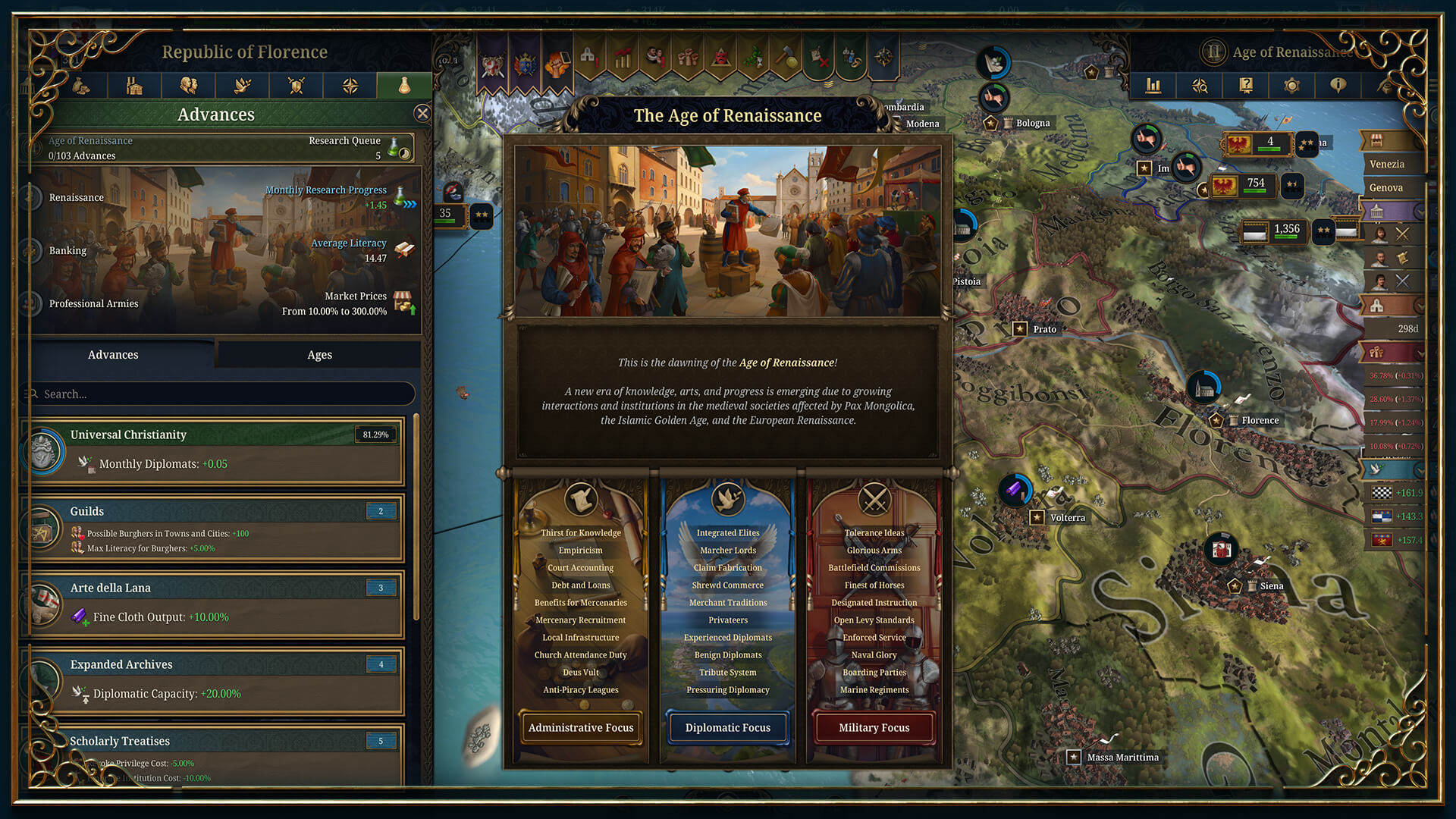
Use current-save debug tooltips for tags and location targets. Wiki examples are useful, but the active save still matters.
If you still need to turn on debug mode, start with How to Enable Debug Mode in EU5. For command names and examples, use the EU5 Console Commands and Cheats List.
Country Tags, Location IDs, And Location Keys Are Different
Most advanced console failures are target failures. The command can be real and the console can be open, but the input still fails if the target type is wrong.
Use this target map before typing a command:
| Target type | What it means | Typical use |
|---|---|---|
| Country tag | Internal short identifier for a country | Switch country, annex a country, target diplomacy or AI commands |
| Country name prefix | A typed name prefix that uniquely matches a country | Switch country when the command supports name-prefix matching |
| Location ID | Internal map-location identifier | Commands that target one location by ID |
| Location key/tag | Named location key used by some commands and script data | Commands or effects that require a location key |
| Province definition | Province-level definition rather than one location | Province-targeted conquer or occupy commands |
| Area | Map area grouping | Area-targeted commands |
| Region | Larger map grouping | Region-targeted commands |
Do not assume EU4 province IDs or EU4 command habits carry over cleanly. EU5 has its own map structure, command list, and target syntax.
How To Find A Country Tag In EU5
The fastest in-game method is:
- Launch EU5 with debug mode active.
- Load a copied non-Ironman save.
- Hover the country, shield, map label, or related UI element.
- Read the debug information.
- Type the tag exactly as shown.
Debug mode also supports ctrl-left-click country switching according to the Paradox Wiki. Use that only in copied saves unless you are deliberately testing.

Country UI labels help you orient yourself, but console commands often need an internal tag rather than the displayed country name.
Wiki Tags Are Examples, Not A Full Live Save
The Paradox Wiki's country-modding page explains that countries are defined with tags. Its examples include YEM and SKE. The formable-country page shows additional tag examples such as GBR, ENG, WLS, and SCO.
Those tags are useful examples, but a tag in wiki data does not guarantee that the country exists as an active target in your current save. A tag can belong to a formable, releasable, historical setup, or country that has not appeared yet.
Use short country tags such as ENG as command targets only when the command expects a country tag and the target exists in the current save.
How To Use Country Tags
The common tag-switching pattern is tag [CountryTag].
If the current country tag is ENG, the command pattern is tag ENG.
Do not type the brackets. Brackets in guides mean "replace this part with a real value."
EU5 also has a t [CountryNamePrefix] workflow. That is different from tag. Use tag when you know the exact tag. Use t only when the name prefix is unique enough for the game to match it.
| Goal | Better input |
|---|---|
| Switch to a known tag | tag ENG |
| Switch by a unique visible name prefix | t England |
| Test another country briefly | Debug mode ctrl-left-click in a copied save |
| Roleplay country switching over a campaign | Check game rules first, then use console only if needed |
How To Find A Location ID Or Location Key
Enable debug mode and hover the map location you want to target. Write down the exact identifier shown in the tooltip, then check the command syntax.
This matters because EU5 commands do not all use the same map target type. One command may ask for a location ID, while another may ask for a location key, province definition, area, or region.
Use the console's current help output:
help conquerhelp occupy_locationhelp conquer_areahelp conquer_regionhelplog
If current help output differs from an online article, trust your current build first.
Which Commands Need Which Target Type?
Use this as a diagnostic matrix:
| Target type | How to find it | Example command family | Common mistake |
|---|---|---|---|
| Country tag | Debug tooltip, wiki examples, game data | tag, annex, ai, trust, favor |
Typing the country name instead of the tag |
| Country name prefix | Visible country name in the save | t |
Using a prefix that is not unique |
| Location ID | Debug tooltip | conquer, some location-target commands |
Using a location key or province name where an ID is expected |
| Location key/tag | Debug tooltip or game data | occupy_location, some script workflows |
Using a numeric ID when the command expects a key |
| Province definition | Debug info or game data | conquer_province, occupy_province |
Using a single location ID for a province-level command |
| Area | Debug info, wiki, or game data | conquer_area, occupy_area, discover_area |
Typing one location instead of the area target |
| Region | Debug info, wiki, or game data | conquer_region, occupy_region |
Using a province or area target by mistake |
The command name often gives a clue, but do not rely on the name alone. Confirm with help.
Why A Tag Or ID Might Not Work
| Symptom | Likely cause | Fix |
|---|---|---|
tag France fails |
The command expects a tag, not the visible country name | Use the tag shown in debug mode, or use t only if a unique name prefix is accepted |
| The command says target invalid | Wrong ID, key, province, area, or region type | Check command syntax with help [command] |
| A wiki tag does not work | The country may not exist in your current save | Use an active target or test advanced effects only in copied saves |
| Nothing changes | Wrong command family, wrong player state, or observer mode | Confirm your controlled country and command target |
| A copied example fails | Brackets, stale syntax, or patch change | Remove brackets and verify with help, helplog, and Tab autocomplete |
Safe Workflow For Testing Tags And IDs
Use this workflow when writing a guide, setting up a scenario, or testing command syntax:
- Copy the save.
- Launch with
-debug_mode. - Load the copied non-Ironman save.
- Open the console.
- Use
versionand record the build. - Hover the relevant country or location and write down the debug values.
- Use
help [command]to confirm the target type. - Run the command.
- Capture notes or screenshots.
- Exit without overwriting your real campaign save.
If a command changes the world state in a way you did not expect, reload the copied save instead of trying to repair the original.
FAQ
What Is A Country Tag In EU5?
A country tag is the internal short identifier for a country. Many country-targeted console commands use it instead of the visible country name.
How Do I Find My Country Tag?
Enable debug mode and hover the country or related UI. Wiki tables and game files can also show examples, but the current save is the safest source.
How Do I Find A Location ID?
Enable debug mode and hover the location on the map. Then check the command syntax to make sure it wants a location ID rather than a location key, province definition, area, or region.
Are EU5 Province IDs The Same As EU4 Province IDs?
No. Do not use EU4 IDs or old EU4 console assumptions in EU5. Use EU5 debug info and current EU5 command help.
What Is The Difference Between tag And t?
tag uses a country tag. t uses a unique country name prefix. If in doubt, use the exact tag.
Can I Use A Formable Country Tag Before The Country Exists?
Not always. A tag can exist in game data or wiki tables without being an active country in your current save. Country-targeted commands usually need a valid current target.
Why Does conquer Work Differently From occupy?
They are different command families and can expect different targets. Use help conquer, help occupy_location, or the relevant command help in your current build.
What Should I Do If A Tag Is Visible But Not Accepted?
Check whether the country exists, whether the command expects a country tag at all, whether you copied brackets, and whether your current build's help output differs from the guide you copied.
Next Step
If the target looks correct but the command still fails, use EU5 Console Commands Not Working? to check debug mode, syntax, player state, observer mode, and patch-sensitive command behavior.